Add the CRM to your home screen, get follow-ups in your phone's calendar with its own reminders, and call, text or WhatsApp a customer in one tap.
There is nothing to download from an app store. The CRM runs in your phone's browser, can sit on your home screen like any other app, and can put your follow-ups into the calendar you already use.
iPhone or iPad: open https://crm.sheetsmith.co.uk/ in Safari, tap the Share button, then Add to Home Screen.
Android: open it in Chrome, tap the ⋮ menu, then Install app (on some phones, Add to Home screen).
On a computer: in Chrome or Edge, Settings → On your phone → Install on this device, when the browser offers it.
It then opens full-screen, with the four screens as tabs along the bottom.
This is how reminders reach you without opening the CRM. You create one private link, give it to your calendar app once, and every dated follow-up appears as an all-day event such as Pat Buyer - Send the quote, with an alert at 9 am.
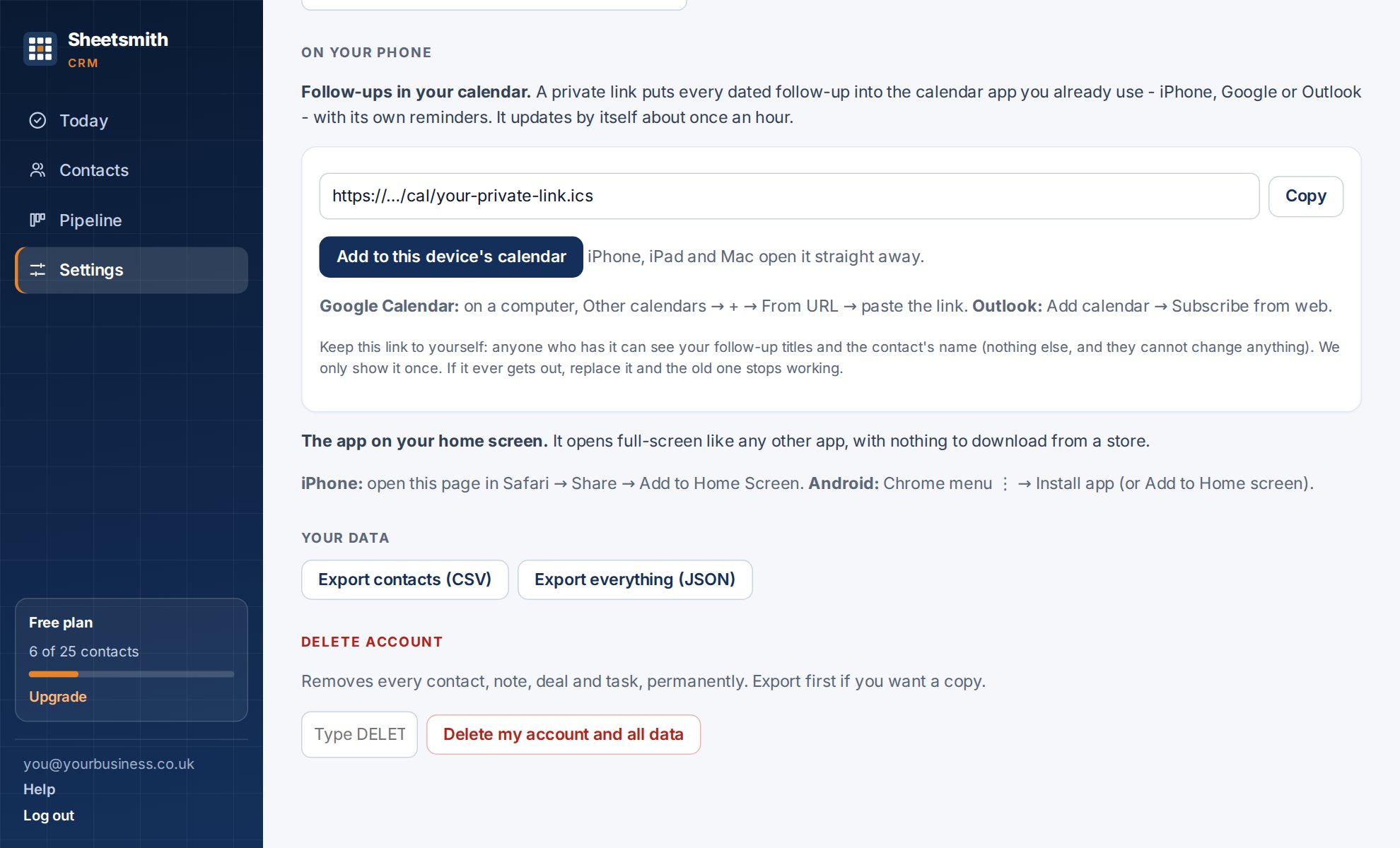
Your calendar app fetches the link again every hour or so (Google can take longer), so a new follow-up does not appear instantly. Finished follow-ups drop out the same way.
Treat it like a password. Anyone who has the link can see the titles of your open follow-ups and the names of the contacts they are with. They cannot see email addresses, phone numbers or notes, and they cannot change anything.
Wherever a contact appears there are buttons beside their name:
| Button | Appears when | What it does |
|---|---|---|
| the contact has an email address | opens your own email app, addressed to them | |
| Call | they have a phone number | dials it |
| Text | the number is a UK mobile, or written in international form (+…) | opens your messages app |
| same as Text | opens a WhatsApp chat with them |
Everything is sent from your own phone and your own number. The CRM never sends anything to your customers. After a call or a message, use Log it on their page so the history stays complete.
A number that starts with 0 is read as a UK number. For customers abroad, store the number with its country code, for example +353 86 123 4567.
Next: Working as a team
Read it Sheetsmith