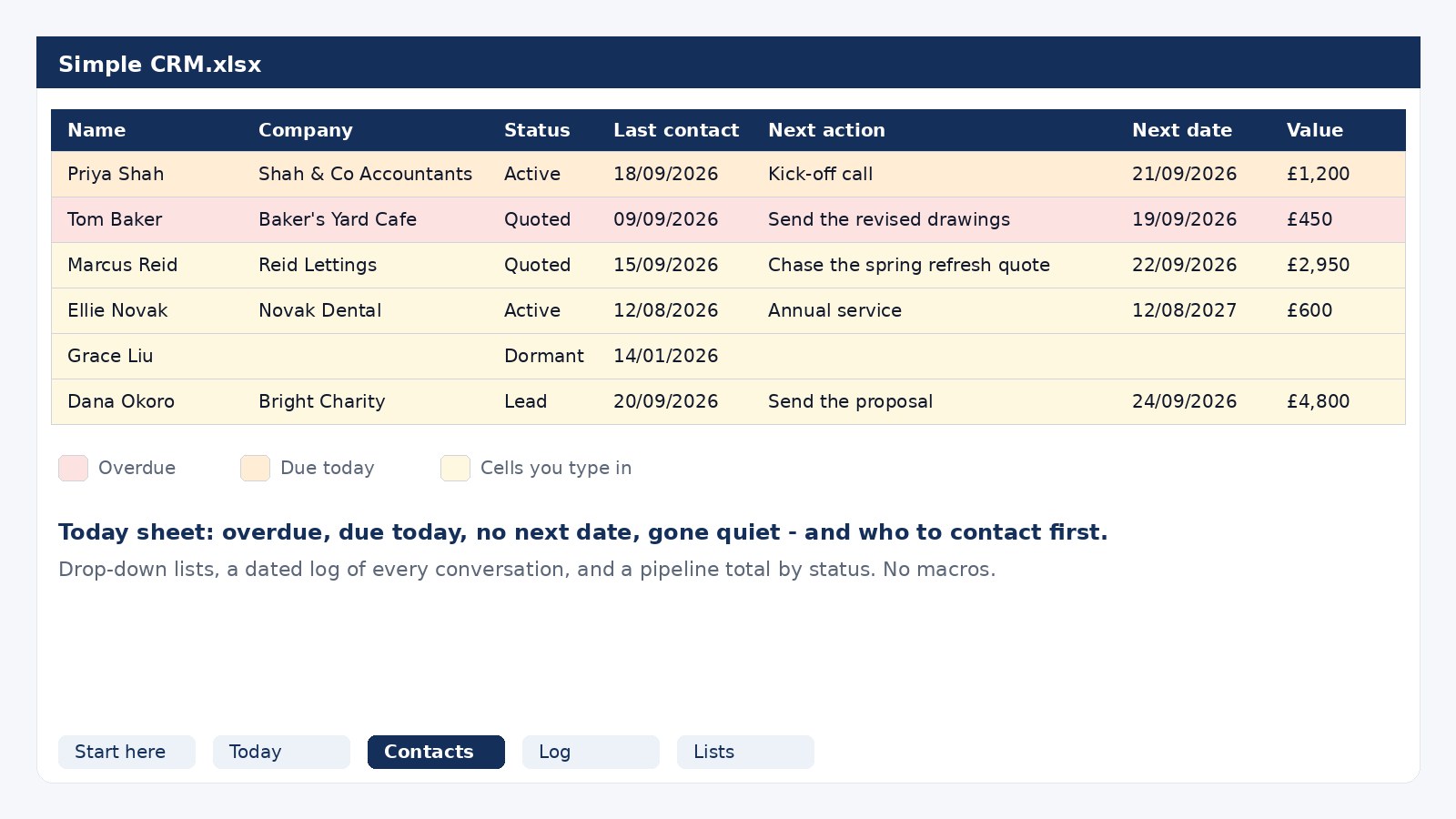
A client tracker that tells you who to contact today. One row per customer, a next action and a date against every one, overdue rows in red, and a Today sheet that lists who to ring first. No sign-up, no macros.
How to use it in five steps, how to open it in Google Sheets, and the signs that you have outgrown it.
Name, company, email, phone, tags, notes, status, source, last contact, next action, next date and value. Status and source are drop-downs. Overdue rows turn red, today's turn amber.
How many follow-ups are overdue, due today and due this week, who has no next date, who has gone quiet, the ten people to contact first, and what your pipeline is worth by status.
A dated line for every call, email, meeting and job, with the customer picked from a list. The part people skip, and the part that saves you when someone says "but you told me in March".
The words in the drop-downs. Rename them to the ones you use.
Nobody on the list is ever without a next date. Every customer gets a next action and a date, even if it is "check in, January". Open the Today sheet each morning, work down the list, log what was said, and move the date on. That is the whole system, and it is the same one a CRM runs for you.
The full method, with the formulas explained, is in our guide: How to track clients in Excel (and when to stop). For going back to past customers, see How to get repeat business from past customers.
A spreadsheet is the right tool for your first thirty or so customers. It creaks when you forget to open it, when the notes outgrow a cell, when you want it on your phone in a customer's kitchen, or when a second person needs to use it. Sheetsmith CRM does the same job with nothing to learn: it shows who is overdue, who has gone quiet and what you are owed the moment you open it, on any device, and it puts your follow-ups in your phone's calendar. It is free for 30 days with no limits, then free up to 25 contacts, and this spreadsheet imports into it in one step.
Yes. No sign-up, no email address, no trial. Download it and it is yours.
Yes. In Google Sheets choose File, Import, Upload, and pick the file. The drop-downs, the colours and the Today sheet all work. It also opens in LibreOffice and Numbers.
No. It is an ordinary .xlsx file with formulas, drop-down lists and conditional formatting, so nothing needs enabling and nothing is blocked by your IT settings.
Five hundred, which is more than a spreadsheet handles comfortably. Most people feel it creak somewhere between thirty and a hundred.
Yes, on the Lists sheet. Keep one called Closed for customers who are finished - the formulas look for that word.
Save the Contacts sheet as a CSV and import it into Sheetsmith CRM in Settings. Names, companies, emails, phone numbers, tags and notes come across, and you see a preview first. The CRM is free for your first 25 contacts.
Start with the spreadsheet. Move to the CRM when it earns its keep.
 Sheetsmith