Log what happened, book the next contact in the same save, set reminders that repeat, and see which customers have gone quiet.
A follow-up is a promise to yourself: get in touch with this person, about this, on this day. Most of the value of the CRM comes from never having a customer without one.
On Today, press Add follow-up (top right) and fill in who it is with, what needs doing, and the date. Start typing a name and pick the contact from the list. If the name is new, you are asked whether to add them as a contact.
You can also add a follow-up from a contact's own page, where the contact is already filled in.
Tick the box when it is done. A bar then asks "When will you next be in touch with …?" with one-tap answers: +1 week, +1 month, +6 months, +1 year, or pick a date. Answering it is the habit that keeps customers coming back. Choose Not now if there is genuinely nothing next.
On a contact's page, the Log it box records a conversation and books the next one in a single save.
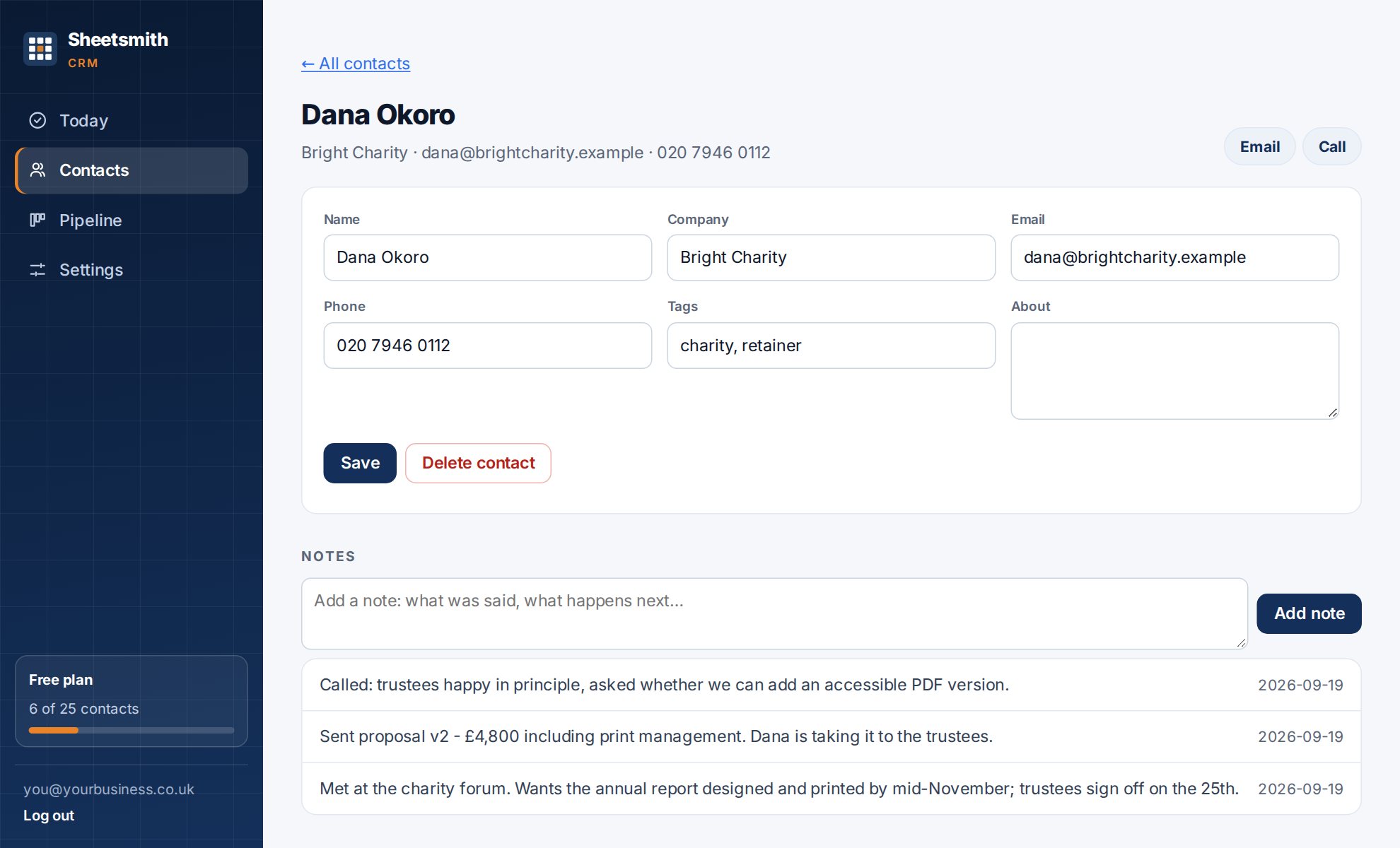
The note joins the timeline with its type, the follow-up appears on Today on the chosen date, and the contact's last contact date becomes today. Leave Next contact blank to just log the note.
If you find yourself typing the same email or text again and again ("just checking the quote came through…"), save it once as a message template in Settings. On a contact's page, choose it from Send a message… and your own email, text or WhatsApp app opens with the wording filled in: {first} becomes their first name, {name} their full name, {company} their company and {me} your business name. It is sent from your own address or number; the CRM never sends anything. After you send it, the Log it box is pre-filled so one tap records that it went. The free plan holds three templates, paid plans ten.
When you add a follow-up, the repeat box offers Monthly, Quarterly, Every 6 months, Yearly or Every … months (any number up to 60, so an eleven-month service reminder works). A repeating follow-up shows a ↻ badge.
When you tick a repeating follow-up as done, the next one is booked automatically and you are told the date. The chain carries on until you delete the follow-up.
Every contact shows when you were last in touch: Today, 3 weeks ago, 8 months ago or No contact yet. It updates whenever you log a note or finish a follow-up with them. On the Contacts screen, sort by Longest since contact to see who you have neglected.
Gone quiet, on Today, lists customers you have not been in touch with for six months or more and have nothing booked with. Each row has one-tap buttons to book a catch-up in a week, a month or six months. Booking one removes them from the list, because they now have a next date.
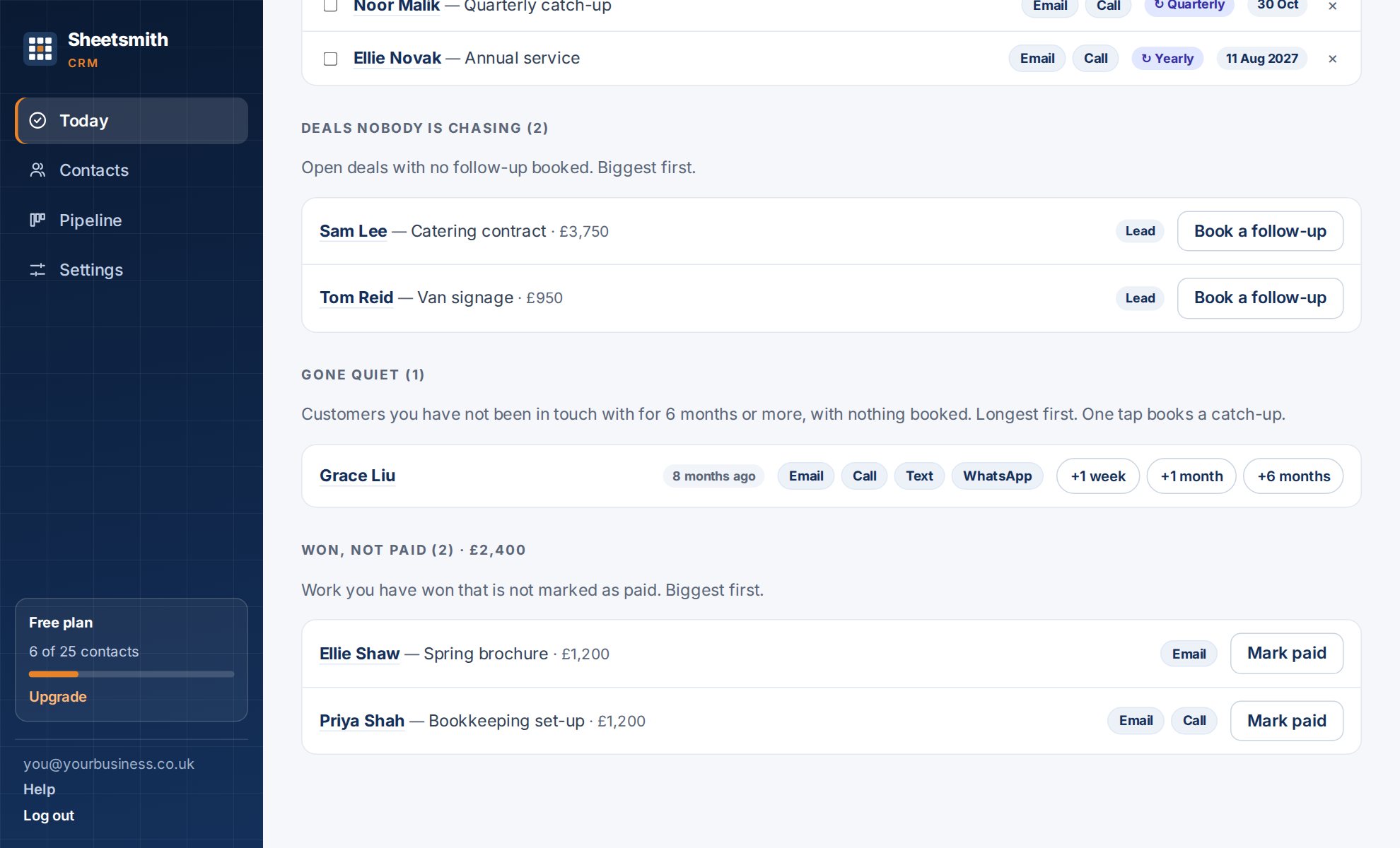
To change the six months, the account owner sets Keeping in touch in Settings to anything from 1 to 36 months. If your contacts have tags, you can filter the list to one tag, for example past customer.
A contact you have only just added or imported is not shown as quiet. The clock starts on the day they were added.
Press × on a follow-up to delete it. To change the date or wording, delete it and add it again; it takes a few seconds. Deleting a contact deletes their notes, and you are asked to confirm first.
Next: Work the list, extra fields and source
Read it Sheetsmith