Track quoted work through your own stages, chase quotes with one click, and see what you have won but not yet been paid for.
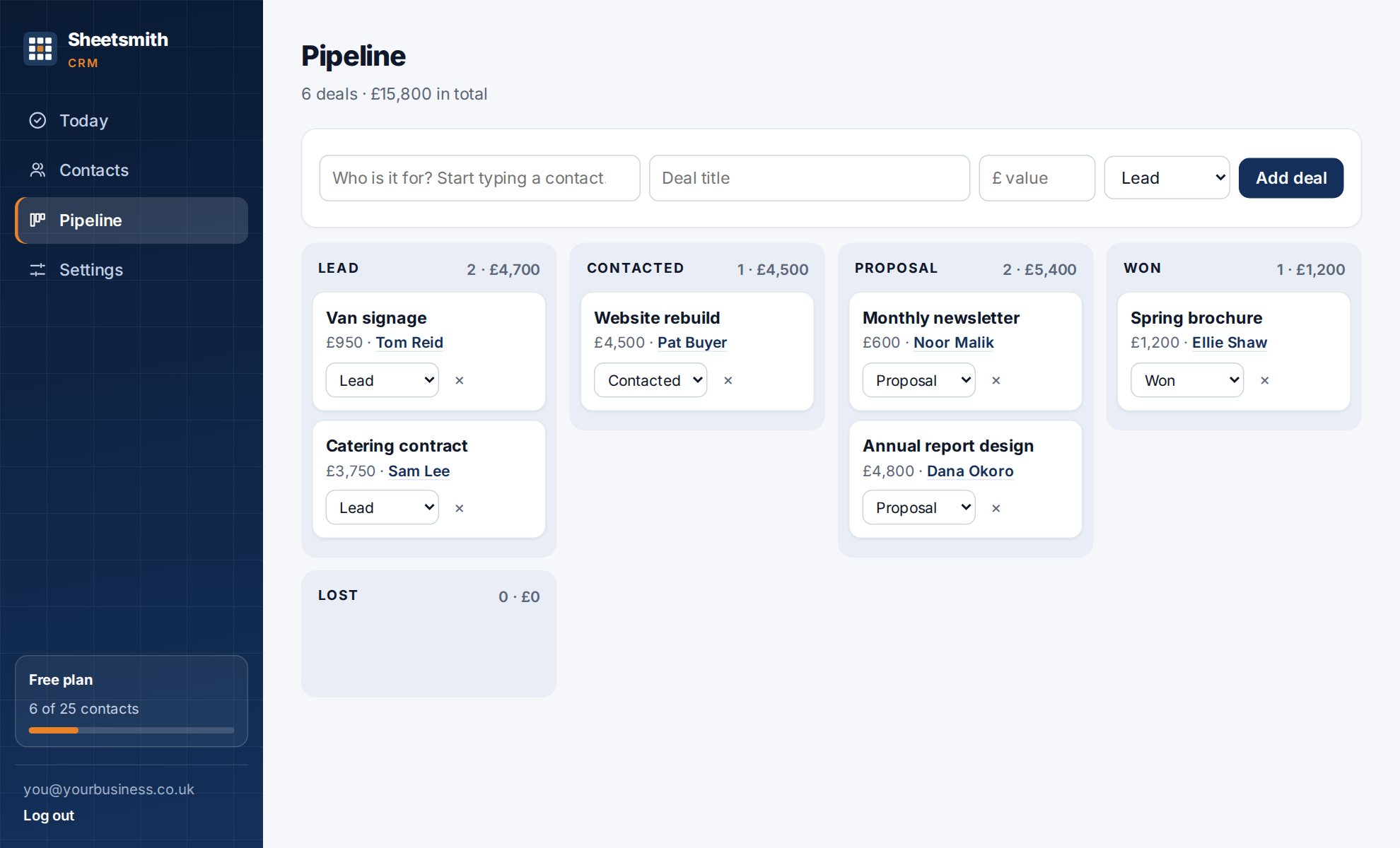
A deal is a piece of work you might win: a quote, a proposal, a job. The Pipeline shows them as cards in columns, one column per stage, with a total value for each stage and overall.
Not every business has a pipeline. If you do not send quotes, untick Show the pipeline and deals in Settings. The Pipeline screen, the deal sections and the pipeline numbers on Today all disappear, and the CRM becomes contacts, notes and follow-ups only. Tick it again at any time; nothing is deleted.
On Pipeline, press Add deal (top right) and enter who it is for, a title, a value and a stage. On a contact's page, open the Deals section and the contact is already filled in. Values are in pounds; type 4500 or £4,500.50. Every deal belongs to a contact, and the contact's name on the card is a link to their page.
To move a deal, drag its card into another column, or open the ⋯ menu on the card and pick the stage there. Delete is in the same menu.
In Settings → Pipeline stages, type your stages separated by commas and save. You need at least two and can have up to twelve. For example:
Deals in a stage you later remove are shown in an Other column until you move them.
Three kinds of stage name are recognised, and they switch on helpful behaviour:
| If the stage name contains | The CRM treats the deal as | What happens |
|---|---|---|
| quote, quoted, proposal, estimate | a quote that is out | it offers to book the chase |
| won, invoiced, complete, completed, delivered, done | won work | it shows a Paid tick, and lists it under Won, not paid until ticked |
| any of the above, or lost, closed, dead, cancelled, paid | finished | it no longer counts as open or as needing a chase, and any chases still booked for it are removed |
When a deal is created in, or moved to, a quote-like stage, a bar appears: "Quote out to … Book the chase?"
Dates that would fall on a weekend move to the Monday. The follow-ups are titled Chase: (deal title), appear on Today on their dates, and are removed automatically when the deal is won or lost, so you never chase someone who has already said yes.
Below a contact's follow-ups, and on each deal card, you can add document links: a label and a link to where the proposal, quote or contract lives in Google Drive, OneDrive, Dropbox or anywhere else. We store the link, not the file, so there is nothing to upload and nothing extra to secure. Links must start with https.
Today lists every open deal whose contact has no follow-up booked, biggest first, with a Book a follow-up button beside each. If that list is empty, nothing you have quoted for is being left to go cold.
When a deal reaches a won-like stage its card shows Not paid yet. Tick it when the money arrives. Until then the deal is listed on Today under Won, not paid, with the total owed and a Mark paid button. It is a reminder list, not an invoicing system: it answers "who still owes me?" at a glance.
Next: On your phone
Read it Sheetsmith