 Sheetsmith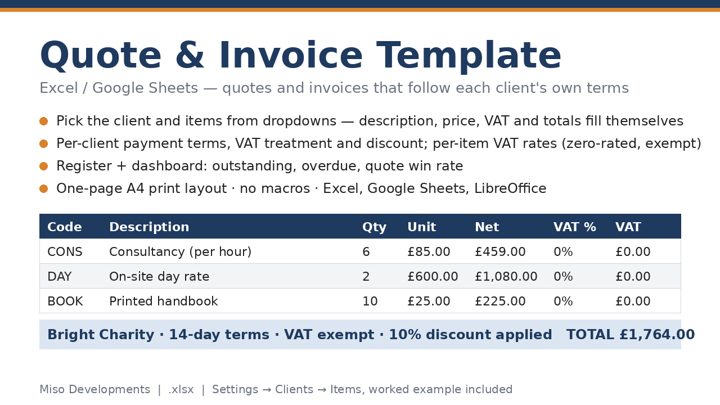
What a quote or invoice has to include
A quote is an offer: what you will do, for how much, and how long the price holds. Once the client accepts it, it is the basis of the contract, so be specific about what is and is not included. An invoice is a request for payment for work done or goods supplied. In the UK an invoice should show a unique sequential number, your business name and address, the client's name and address, the date, a clear description of each line, the amount for each line, the total, and the payment terms. If you are VAT registered it must also show your VAT number, the VAT rate applied to each line, the net amount, the VAT amount and the gross total — this page lays those out for you.
Discounts, VAT and rounding
A discount is applied to the net line amount before VAT is calculated, which is how HMRC expects it. VAT is worked out per line and summed, then the totals are rounded to the penny; that matches most accounting software and avoids the odd penny difference you get by applying VAT to the rounded net total instead.
Payment terms and due dates
The due date is the invoice date plus the number of days you set. Thirty days is the UK default under the Late Payment legislation if nothing else is agreed; many small businesses use fourteen. Put the terms on the document, not just in your head — statutory interest on late payments only runs from the agreed due date. For quotes, the same field becomes the validity period: how long the client has to accept before prices may change.
Printing
The print button hides this page and prints only the document, sized for A4. In the print dialog choose "Save as PDF" to get a file you can email. Nothing you typed is kept after you close the tab.
Questions
What must a UK VAT invoice show?
A unique sequential number, your details and VAT number, the client's details, the date, each line with its VAT rate, the net, VAT and gross totals, and your payment terms.
Is the discount applied before or after VAT?
Before. The discount reduces the net line amount and VAT is calculated on the discounted figure, which is how HMRC expects it.
How do I get a PDF?
Click Print, then choose "Save as PDF" as the printer. Only the document is printed, not the page around it.